• Skip to primary navigation
  • Skip to main content
  • Skip to primary sidebar
  • Skip to footer

805-720-9276

[email protected]

MacCog: I help humans.

MacCog: I help humans.

... your Digital Life Coach and Apple support guru

  • Your Digital Life
  • Your IT Department
  • Your Carbon Coach
  • Contact Justin
Remote Support

Need to know

March 7, 2025

Some Lessons from the LA Fires

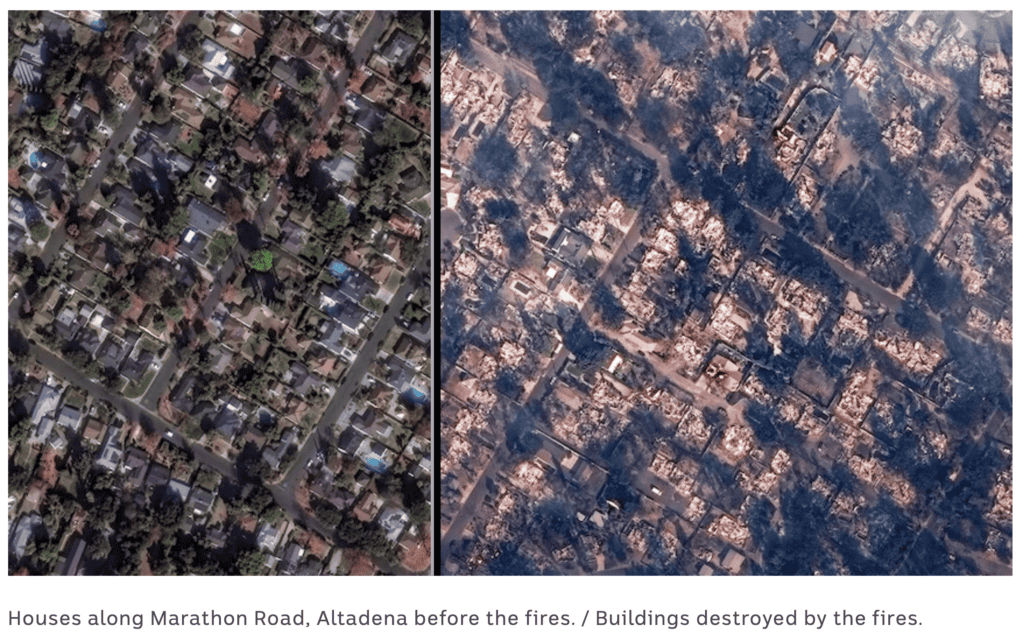
The devastating LA fires got me thinking about emergency preparedness. While thankfully none of my clients or friends lost homes (that I know of), many had to evacuate at a moment’s notice… so I’ve had many conversations about evacuation priorities. What’s important in your home, what’s worth saving and how do I do that when given evacuation orders… or ideally, before?

Here’s what I know:

Digital “belongings” are the easiest to protect
It’s critical to have a digital vault with passwords, IDs, and important documents that’s in the cloud and on all your devices. “Fireproof safes” turned into puddles in these super-hot home fires so digitizing those contents (the ones that can be digitized, that is… see #3 below) into a secure location should be a priority. Yes, it’s another plug for 1Password… but if you make it a priority now, when disaster strikes you’ll have all your critical documents accessible from your phone, even if you can’t get home. It’s one of the least expensive, but most valuable subscriptions I have.

The rest of your data is important, too
We start with a solid backup of your computer and then consider if you have any hard drives that hold important files that aren’t on the computer. A Time Machine backup on an inexpensive portable hard drive is something you can easily take with you when you’re evacuating.But what if you’re not there when the fire starts and you can’t make it back to your house? Then, you’ll be really glad if you have a cloud backup too (or at the very least a second Time Machine backup stored somewhere else that you rotate). The cloud backup service I recommend and love is called Backblaze—by continuously copying your files to the cloud whenever you have wifi, it’s a complete disaster recovery solution that backs up both your computer and external drives.

Let’s talk about photos and memories.
With solid backups, our data on computers can be replaced and fully restored. Many who lose their homes say the things they really miss are the physical keepsakes—those pre-digital photos, Christmas cards, kids’ artwork, and other irreplaceable items that we might not have time or space to grab during an evacuation.While our iPhone photos are pretty safe thanks to iCloud Photo Library sync (a huge benefit of the Apple ecosystem that I call “photo nirvana”), most of us haven’t taken the time to digitize, and therefore preserve, these memories.After testing various scanning methods, I’ve found the simplest solution is basically the best: your iPhone’s camera app. All you need is a $15 tripod mount to hold your phone steady above a flat workspace, plus good lighting (natural light is best, but any diffuse lighting that doesn’t create shadows works). Then just move items under the phone, snap, and repeat.While it might not feel urgent now, the digital copies of your precious memories will be priceless if disaster strikes.

When you’re running out the door…
One last pro-tip for evacuating (and I pray you will never have to): Take a video of your entire house right before you leave. Open drawers and cabinets and pause briefly on the contents with your phone before you move on. This will document your belongings for insurance and potentially save tons of frustration.If you’re not a last minute type person, though, Under My Roof is a fantastic way to keep a record of your home’s valuables… and you could take that video right now, why wait?

Wake up call? Speaking for myself, these fires got me to re-think my plans. I hope this info gave you some inspiration to plan a little better… but I wouldn’t be surprised if it’s mostly overwhelming. So hit me up, I can help with a strategy and support so we can all sleep better at night.

Category iconNeed to know

March 7, 2025

Bookkeeping You Don’t Even Have to Do

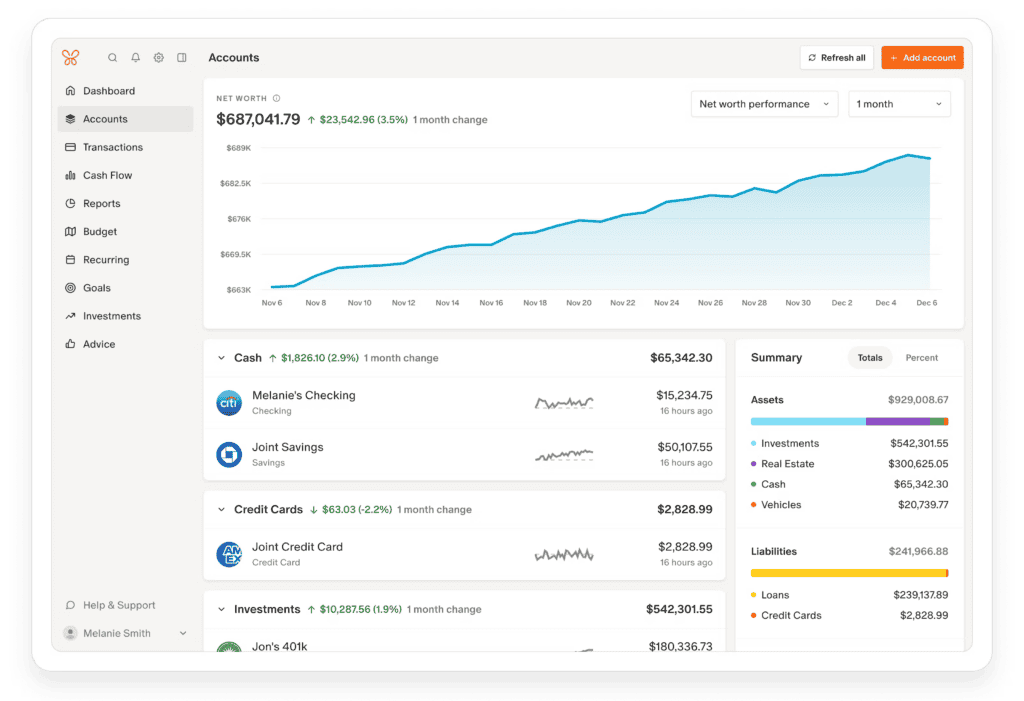
I’m super excited after rounding out my first year using a bookkeeping tool called Monarch Money. After Mint.com got bought by Intuit and went downhill, I found this gem. It’s a web and iPhone app that has everything I’ve ever wanted (to manage my money, that is): easy budgeting, custom categories, recurring expense tracking and automatic transaction downloads from every financial institution imaginable (credit cards, loans, banks, Venmo, PayPal, Apple Card—you name it).

The game-changer for me was the review feature, which saved me an entire day on tax prep! As new transactions download (did I mention this is automatic after the initial setup?), they appear for me to review, which is easy while they’re fresh in my mind. Most auto-categorize, and for the few that don’t, I just choose a category (i.e. taxable or not), click “review” and done. When 2024 ended, everything was already categorized with my custom business categories—the full day of agony I used to go through to prepare my taxes, gone!

If you’re using Quicken, QuickBooks, spreadsheets, something else or nothing, the $99/year they charge will save you an infinite amount of time and stress. Oh, and right now it’s 50% off for your first year with the code NEWYEAR2025 and with my link you also get a 30 day free trial… so book time with me to get you setup quickly so next year your taxes too will be easy!

What’s the catch?The initial setup can be tricky because you gotta be on top of your financial account passwords, but it’ll be easy because you’re already using our friend 1Password, right? If not, book me so we can get you setup on both of these amazing life changing apps.

Category iconNeed to know

April 17, 2009

GrandCentral, GoogleVoice and their new best friend, Ooma

UPDATE: Google is accepting (and granting) invite applications as we speak… so if you’re interested at all, click on this link to sign up to receive an invitation.


Google’s as yet-unreleased “GoogleVoice” service isn’t so new. I’ve been using it’s predecessor, GrandCentral as my primary business and personal phone number for 2 years. This is a retrospective on the service and a review of the significant new features. Feel free to ask questions in the comment section and to retweet the post so more can discover this revolutionary new service.

Grand CentralI learned about Grand Central from David Pogue’s first column about it. It was still in invite-beta so I had to scrounge an invite and quickly fell in love. The amount of groundbreaking features it had was astounding… and on April 16th, 2007 I integrated it into my business and began to give it out as my only phone number… just like they suggested.

A few times since then I’ve doubted the wisdom of my early adoption tendencies, especially when it comes to basic business functions like phones. I’ve had many problems with Grand Central over the last few years including some chronic ones recently that were so frustrating for my clients that I’m afraid I might have lost some phone calls and therefore some business from it. Several people (though not all) reported that when trying to leave a message a lady’s voice cut in and asked “Are you still there?” even though they were clearly talking. It would force them to stop mid-message and either re-record or start over after pressing 4. Most people left annoyed messages at that point and suggested I fix my “machine”. Well, my machine wasn’t fixable because as soon as Google bought Grand Central they stopped taking suggestions or feedback and removed any sort of support options from the site… and it was free so could I complain about?

I began to worry and look into other options. Google seemed to be dropping the product, a victim of its financial belt tightening. I even went to the Google booth at Macworld and asked for someone working on Grand Central… but I’d apparently just missed them. They’d been there the day before! I did talk to a guy who was sympathetic and assured me that the 2 founders worked across the hall from him and that they were hard at work at… something. So, because nothing offered the power and simplicity of Grand Central, I continued my heavy use of the service in spite of the uncertainty and problems.

Google VoiceWell, on March 12th, I awoke to a happy surprise… Grand Central had been upgraded to Google Voice and was sporting all the old features and some crucial new ones. I immediately transferred over my account and began testing the new Google interface and features. Since I use my GrandCentral, er… Google Voice number for everyone, friends and family and business alike, I’ve tried out every feature they have and can answer questions on Twitter or in the comments section about them… but I’m going to focus on the features that have been the most interesting and/or useful for me.

NEW FEATURES:

smsFirst, the new SMS feature is awesome. I’m realizing now how many texts I must have missed when GrandCentral didn’t support SMS because people thought they had my cell number. Oh well. Now if someone texts my GV number, I get a text from a strange number and it says their full name at the beginning of it. There seems to be one number for each person (so I attach the number to that person for future incoming reference), though I have no idea how google could be using so many numbers for just texting. The chat thread is online next to my (transcribed) voicemails, and best of all, I can reply to a text from the browser (or iPhone) if I want, saving on SMS charges.

The next great addition is transcription. Google has integrated their Goog-411 technology to my voicemails, and I love it. I can’t say that the transcriptions are very accurate yet. I hope they improve a lot and quickly… but I can get the gist of a voicemail through a variety of means without having to listen to it.

Let me recount the many ways I can check my Google Voicemails:

  1. The old fashioned way: dialing my own number from any of my phones. GV gives me the option of requiring a PIN number or not. Once I’m in, it’s pretty much like any other voicemail system with options to listen, archive (not delete!), skip or keep as new the message. I can also call the number back from this interface using my GV caller ID, which is nice (more on that later)
  2. Via email or SMS: GrandCentral could always send you an email or SMS when you’ve received a message, but now it’s more than a link to the website. They don’t yet include an mp3 or wav file as an attachment like Vonage or Ooma, but the transcription therein more than makes up for it.
  3. Via google.com/voice: This is of course the most full featured option. From here I can do all kinds of fun things like review the transcript and tell Google how mildly useful it is, listen to it, download the mp3 version for posterity, add a note for my assistant, email or embed the message, or even call back the person with whichever phone I choose. The email similarities continue, though: I can delete the message, report it as spam, flag (or “star”) it, etc. Never again do I have to delete that awesome drunk message from my friend or the important stuff from my clients. Now I’ll have a searchable archive for voicemail just like email!
  4. With my iPhone. Hallelujah, I can finally check my voicemail without dialing into the service like an old school VM system. Call me spoiled, but once I had Visual Voicemail on the iPhone, it seemed rather quaint and stupid to be forced to dial my own number and listen to messages one by one to get to the one I wanted, just like the old days. That was necessary because Grand Central’s website was flash, their mobile site used some encoding method that wouldn’t work with the iPhone, and they hadn’t bothered to create an app! Well, Google still hasn’t created an app (see wishlist below) but the Google Voice mobile site will thankfully play my messages via the web.

The last dynamite new addition is the Google Contact integration. One of my biggest problems with Grand Central was the fact that its address list, which allowed me to keep track of who has called me and what numbers they call from, was a one-way street. I could import my contacts from Apple’s Address Book once but it became a different universe. For someone who prides himself in his clean Address Book, this was tough. Now, Google has a contact API and promising integration tools with my Macintosh Address Book that will complete this loop.

MY WISHLIST

With any great service that we rely on, there are features and additions that we crave. Here are mine:

an ugly icon

iPhone app – this is a no brainer and I imagine only a matter of time before it comes out (official public release date maybe?) but it’s a barrier to usage right now. The excellent mobile site still doesn’t do everything that an app could and should do… like using the built in iPhone Address Book and outgoing GV caller ID… like adding outgoing messages… like making the voicemail experience and UI as good or better than what the iPhone has built in! At least they could give the mobile site an icon… this icon is all I see.

The next step for SMS would be for google to integrate this into Google Chat somehow…. finally making SMS and IM seamless and cost effective! It would bring the multi-input power of something like Twitter to private text messaging too! Send an IM to a friend who is offline and get the option of sending it as an SMS to his grand central number instead. Receive SMS messages in your IM client and respond as normal… the possibilities are exciting.

OOMA INTEGRATION

Ooma IconAnd now… the marriage of two services that would flip my lid: Ooma meets Google Voice! If you’ve never heard of it, Ooma is a Vonage-like voice-over-internet (VOIP) service that is revolutionizing home phones. Instead of a monthly service like Vonage that’s only marginally cheaper than traditional land lines, Ooma eliminates the monthly phone bill entirely! Yes, that’s right… you get unlimited calling, cheap international rates, good voice quality, online voicemails delivered to your email and available on the web and more… for free! I’ve been using Ooma for a few months now and have already recommended it to some friends and family.

How does this fit into my Google Voice review, you may ask? Well, 2 big ways:
The biggest downside of GV is that when you call someone normally from your phone, they will see your home or cell phone as the caller ID… not your GV number. If you’re truly trying to have one number to rule your life, this is a problem. You can place every call from the GV website, but that becomes too cumbersome and when you don’t do it, inevitably someone calls you back on your home number or direct cell number. With Ooma, you should be able to have your GV number show up on Caller ID instead. In fact, I was excited to learn yesterday that the Ooma blog already has responded to this idea and promised to offer a GV plug-in! Good job, guys! (It requires the $99/year Ooma Premium, but that’s worth it to me).

This article explains why they’re so on top of it:

In its efforts to piggyback on Google Voice, ooma has been well served by its own long reliance on technology from Grand Central, a service Google acquired in July 2007 and the driving force behind Google Voice.

“A number of our engineers have been using Grand Central for over a year as part of our own beta test, so when Google finally released its information on Google Voice, we could see there some of the things we had already been doing with its precursor, Grand Central,” Buchanan said.

There are a bunch more proposed features to integrate the two services on this press release from Ooma, all of which sound cool… but the biggest thing I want doesn’t seem to be there: Althought Ooma’s online voicemail system is nicer than Vonage (whose service I just cancelled) it is nowhere near offering what Google Voice does. For this reason, I’d like one of these GV extensions to be a way to replace the entire Ooma Voicemail system with Google’s. The details in the press release are scant and maybe this ability will be there (without having call looping issues) but I want to be 100% clear in my suggestion:

I want any messages left on my home or business lines (both of which are currently managed by Ooma) to be instead in my Google Voice box and basically do away with Ooma’s voicemail system entirely.

If these new features work out as well as they seem like they’re going to, I will have reached phone-management nirvana… and for almost no money! Thank you, Internet!

justin

Category iconBlog,  iPhone,  Need to know,  Reviews,  Web 2.0

April 6, 2009

Wondering about Web 2.0?

Put simply, Web 2.0 is the beginning of the movement to extend our entire digital lives online… to the cloud.

More and more everyday we’re putting more of our pictures, video and thoughts online… and new technologies known as “Web 2.0” like RSS, AJAX and “cloud computing” are making that easy and fun.  Storing your data in the cloud with services like digg, flickr, youtube or del.icio.us make them available anywhere and by anybody (if you so choose). They also make that information very safe and secure from computer crashes!

Category iconBlog,  Need to know,  Web 2.0

April 6, 2009

What is Cloud Computing?

“Cloud Computing” is the newest buzz word in the world of the internet… and an integral part of Web 2.0. Here’s how they work together:

Computers like your laptop, while convenient, still can’t be in all places at once and can cause major problems when lost, stolen or just crashed. If you’ve ever used a web browser like Safari or Firefox to check your email, you’re already using “Cloud Computing”…. it’s just a place to keep stuff… in the cloud! Imagine having all of your computer files, settings, pictures, music, EVERYTHING… stored in a place you can access 24/7 anywhere there is a computer with an internet connection (which is increasingly just sitting in your pocket all of the time). If you use gmail, MobileMe,YahooMail or even AOL, you’re already taking advantage of this… but that’s just the beginning….

The future contains much more use of computers in the “cloud”. Besides email, you can already keep your notebook up there with Evernote, your videos up there withYouTube, your documents up there with Google Docs, your photos up there with Flickror MobileMe, your desktop up there with SugarSync or perhaps most importantly, you can backup your files automatically to Mozy or CrashPlan. Man, you can EVEN keep your snail mail up in the cloud with EarthClass Mail! All of these web based services are examples of Web 2.0  and a telltale sign of that is their use of Cloud Computing.

It’s pretty amazing the abilities we have to be mobile in today’s day and age. Enjoy it, folks, you’re living in a new age!

justin

PS: Steven Fry, a great comedian and gadget geek wrote a great article recently on this same topic. That article inspired this one, so check it out.

UPDATE 6/13/09: I just read an article at the NY Times about the data centers that are required to keep our lives in the cloud. It’s a fascinating read if you’re interested!

Category iconBlog,  Need to know,  Web 2.0 Tag iconTips

January 23, 2009

Why not to use Bit Torrent

Well, I’m being a little hypocritical with my headline on this one since I use Bit Torrent from time to time (for legal things!) but I’m very aware that this stuff could contain something malicious if not simply annoying.

Now there is proof of an actual malicious Trojan Horse for the Mac! Let’s repeat: a Virus-like thing has been released into the wild for the Mac. You won’t get it unless you’ve used Bit Torrent to download a pirated copy of iWork ’09, but according to zdnet, about 20,000 people have downloaded it already.

Don’t freak out about this one because if you’re not doing anything nefarious in the first place, you’re still immune. I just want you to be aware of the possibility.

Also, this morning I got a call from a client saying that after clicking on a google link she was greeted with a message like “your computer has been infected! You must install a protection package right away to protect from malware and spyware! Click here to install!” Well, needless to say, that message was a hoax, and luckily they didn’t click on it… but if they had it could have been a similar Trojan or Virus.

Lesson being: Don’t download illegal things and don’t believe it when a website tells you the world is going to end unless you click to download something. ALWAYS navigate directly to the site you’re trying to download something from rather than using some ad or link to it!

If you have any more questions about this, feel free to email or call me about it!

justin

UPDATE: According to ZDNet, there is now an “iBotnet” of Macs who have been infected with this virus that came from pirated copies of iWork and Photoshop. Again, if you didn’t get the software illegally, you have nothing to worry about… but this is a troubling development because it’s the first coordinated hacker effort against the Mac that has gained ANY traction (to my knowledge)

Category iconBlog,  Mac,  Need to know Tag iconTips

December 1, 2008

A great new social community

Everyone knows Facebook and MySpace. Before that, some of us used Friendster and AOL chat rooms or Yahoo member boards. When we think back on how the social aspect of digital media has changed us… some of us yearn for more personal interaction. Sure, Facebook is great for keeping in touch with old friends from high school or inviting people to your dinner party… but the potential for social media goes so much deeper than that.

Imagine you were just diagnosed with cancer. Yeah, worse than the recent financial news, I know. Now imagine what your first actions would be. You might cry, scream or look deeply inward for a while… but chances are the next thing you’d want is information. You’d crave connection and comfort in the knowledge that other people have and continue to go through the same thing you are. You’d probably call your uncle, mother or friend who has already battled it and you’d surely spend hours on google to get more information.

Now imagine there was one place you could go for all of that. Think of it like a niche Facebook. It doesn’t have millions of users and you’re not going to get tons of spam from it but it does have a very focused goal: to help you survive. The numerous and growing number of users at Surviving Cancer Whole share their stories, ask questions and provide insight to whoever needs it. They also have established themselves as a place to get crucial news stories about Surviving Cancer that you’ll want to keep up with.

They have a new blog to accompany the website which you should subscribe to… and if you’re a survivor or current patient you’re questions and/or answers will prove valuable not only to you, but the others in the community.

It’s beyond Facebook and Web 2.0. It’s Web 3.0: Niche social networking at its best! So if you or anyone else you know would be interested in this community, click on over and check it out!

justin

Category iconBlog,  Need to know,  Reviews,  Web 2.0

November 11, 2008

IMAP… not your father’s email

I’ve been explaining the value of IMAP email to clients for years. It’s far superior to POP, especially when you check your email from more than one computer or mobile device. Plus, if your computer crashes and you have no other backups, at least your email is safe! I set up pretty much all of my clients with it.

Now, Apple and MobileMe have done a good job explaining it too. In this article, they explain why your MobileMe account uses IMAP over POP. It’s worth a read… and if you’re still using POP, think seriously about switching!

justin

Category iconBlog,  Mac,  Need to know

October 6, 2008

Recycle your computer.


It may be a little later than our Greenpeace friends may have liked, but Apple has mostly gotten its act together on recycling. When you buy a new Mac, you can send or bring them your old one for proper disposal… at no cost to you. That’s a huge step and as this Macworld article details, a very welcome one in a growing number of options for high-tech disposal.

So please, DO NOT simply throw away that old Macintosh or monitor or even cell phone. (That’s actually illegal in California) Pass it down to a less-discerning friend or relative if it still works… and if it’s broken, find a place to recycle it.

There is a great facility for Los Angelinos to use in Glendale. Just drive up there on a Saturday or Sunday morning and drop off pretty much any and all of your old electronics with peace of mind. I did it, and it’s very very easy. But if you don’t want to do it, next time you see me I’ll take it for you and bring it on my next run!

justin

Category iconBlog,  Gadgets,  Mac,  Need to know

Next Page »

Primary Sidebar

Footer

Contact Justin

805-720-9276
[email protected]

  • Justin’s Thoughts on Tech
  • What clients say about Justin
Install Monitoring
Backblaze Online Backup
Get Started with 1Password